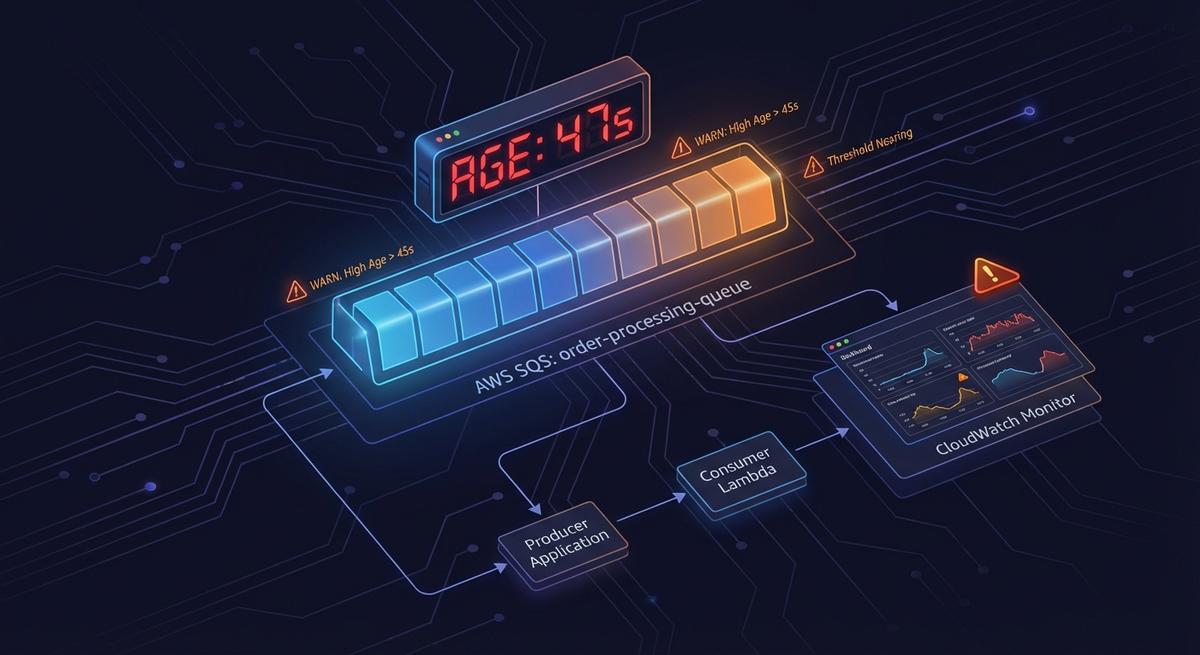
SQS Age-Based Alerting: Catch Slow Drains Before Messages Expire
March 12, 2026 · DeadQueue Team
Your SQS queue depth is zero. Your messages are dying anyway.
That’s not a hypothetical. It’s a specific failure mode that queue depth alerts won’t catch, and it happens more often than you’d expect. The metric you’re probably watching tells you how many messages are waiting. It says nothing about how long they’ve been there.
The lie queue depth tells you
ApproximateNumberOfMessagesVisible is the default alarm for SQS queues. Set it above some threshold, get paged. That’s the standard setup.
The problem: depth only tells you how many messages are in the queue. It tells you nothing about when they arrived.
A slow consumer is not the same as a stopped consumer. When processing slows down rather than stops entirely, messages get processed eventually. Depth stays low. Nothing looks wrong. But the messages already waiting keep aging, and SQS’s retention clock doesn’t pause.
Consider a real scenario: three messages sitting in your queue. Each arrived 3.5 days ago. Your retention period is four days. You have 12 hours before those three messages are permanently deleted. Your depth alarm? It never fired. Three messages doesn’t cross any reasonable alert threshold.
This is the gap. Depth measures accumulation. It doesn’t measure time in queue.
A queue can sit at near-zero depth for days while the few messages it holds march steadily toward their expiration. No depth alert fires. No one gets paged. The data disappears.
The metric you actually need tracks age, not count.
What ApproximateAgeOfOldestMessage actually measures
ApproximateAgeOfOldestMessage reports the age, in seconds, of the oldest message in the queue that hasn’t been deleted. CloudWatch updates it roughly every minute.
That word “oldest” is doing real work here. When a consumer slows down instead of stopping, newer messages get processed while the stuck ones stay stuck. The metric reflects the worst-case message, which is exactly what you want when you’re trying to prevent data loss.
This makes it a leading indicator in a way that depth isn’t. Depth rises when messages accumulate faster than they’re processed. Age rises any time a message sits long enough, even if depth looks fine. When a consumer slows gradually, age starts climbing well before depth does.
It works on both standard and FIFO queues. For FIFO queues, the semantics are slightly different since ordering guarantees affect which messages are oldest, but the metric still gives you a reliable signal.
DLQs deserve special attention here. Messages arriving at a DLQ don’t get a fresh timestamp. SQS preserves the original enqueue time from the source queue, so a message that spent three days on the source queue before failing arrives at the DLQ already three days old. ApproximateAgeOfOldestMessage on a DLQ reflects that carried-over age. If you’re using the same threshold for DLQ age alerts as for source queue alerts, you’re probably alerting too late.
One thing worth noting: the “Approximate” in the name isn’t a disclaimer you should ignore. SQS is a distributed system with eventual consistency. The metric is sampled, not exact. In practice, the approximation is close enough for alerting purposes, but don’t try to use it for billing calculations or treat it as an audit log. For “is something aging toward expiry” it’s reliable. For “exactly how old is this specific message” it’s not.
The slow drain failure mode (and why it’s sneaky)
Slow drains are harder to detect than outright failures because they look, for a while, like things are working.
Partial consumer failure. One pod in a three-pod deployment crashes. The other two keep processing. Queue depth rises slightly but doesn’t breach your alert threshold. Over the next few hours, the remaining pods handle the normal load well enough, but anything that arrived before the crash stops getting retried. By the time someone notices the pod is down, the messages it was holding have aged significantly.
Downstream rate limiting. A third-party API your consumer calls starts throttling at a lower rate than before. Your consumer backs off and retries, as it should. Processing continues, just slowly. Queue depth looks fine because messages are moving. But the retry cycle means the oldest messages are accumulating retry delays, and their age keeps climbing.
Auto-redrive masking. SQS’s auto-redrive feature moves messages from DLQs back to source queues. The NumberOfMessagesSent metric on the source queue will show those messages as “new” arrivals. It looks like fresh traffic. But the messages themselves still carry their original timestamps. Their age hasn’t reset. An alarm on NumberOfMessagesSent won’t tell you those messages are already days old.
Lambda cold start cascades. During a traffic spike, Lambda concurrency limits cause cold starts to pile up. Processing slows. The queue backs up a little. Not enough to breach a depth threshold, but the messages that arrived at the start of the spike have now been waiting for 20 minutes, then 40, then an hour. If this happens repeatedly across several spikes, the oldest messages can accumulate significant age before depth ever looks alarming.
In all four cases, the common thread is the same: processing hasn’t stopped, it’s just slow enough that time becomes the risk, not accumulation.
How to set age-based alerts in CloudWatch (and why it’s painful)
The metric you want lives in the AWS/SQS namespace. The metric name is ApproximateAgeOfOldestMessage. The dimension is QueueName.
A reasonable starting threshold is 50% of your MessageRetentionPeriod. With the default four-day retention, that means alerting when the oldest message is 48 hours old. You still have two days to investigate before data loss, which is enough time to diagnose and respond even if you get paged during off-hours.
For DLQs, tighten that threshold to 25% of retention. If your DLQ has four-day retention and a message arrives already three days old, you have one day before it expires. An alert at 25% retention (24 hours) gives you zero margin, so you may want to set DLQ thresholds even tighter or just use absolute values rather than percentages.
Setting up the alarm in CloudWatch is straightforward but tedious. You need to:
- Navigate to CloudWatch Alarms and create a new alarm
- Select the
AWS/SQSnamespace, chooseApproximateAgeOfOldestMessage, and filter by your queue name - Set the threshold to your calculated value (48 hours = 172800 seconds for a 4-day queue)
- Create an SNS topic to receive the alarm notification
- Subscribe your alerting destination (Slack via webhook, email, or PagerDuty) to that SNS topic
That’s five steps per queue. It also requires knowing your retention period per queue and doing the math per queue.
Ten queues means ten alarms, ten SNS topics, and ten separate threshold calculations. When you add a new queue, you need to remember to create the alarm. When you change a queue’s retention period, you need to update the alarm threshold. Neither of those steps is automatic.
This is where most teams fall behind. The initial setup gets done for the queues that exist when someone decides to do it right. New queues slip through. Retention periods change and alerts don’t. Eventually there’s a gap, and the first sign is a production incident.
What good age-based alerting looks like
An age-based alert that fires at 50% of the retention period gives you room to respond. You get paged with two days left, not two hours. That’s the difference between a measured investigation and an emergency.
For DLQs, the threshold needs to account for the age messages carry over from the source queue. A DLQ message at 25% of DLQ retention might already be at 90% of total message age. The threshold should reflect the actual time remaining, not just the DLQ retention in isolation.
The alert itself should carry enough context that whoever gets paged knows immediately what they’re dealing with. That means including the queue name, the current age of the oldest message, the retention period, and the estimated time to expiration. “SQS alarm triggered” is not useful at 2am. “orders-processing-queue: oldest message 2d 14h old, expires in 22h” is.
Two severity levels work better than one. An aging alert at 50% of retention is worth escalating during business hours, not at 3am. A critical alert at 75% of retention is worth a 3am page, because you’re down to 25% of your window. Mapping those two thresholds to different severity levels in your on-call rotation means the right level of urgency without training your team to ignore alerts.
Age and depth aren’t competing signals. They catch different problems. Depth tells you about consumer lag and accumulation. Age tells you about time-at-risk. A queue with high depth and low age has a consumer that can’t keep up but isn’t losing data yet. A queue with low depth and high age has a slow consumer and is close to losing data. You want both.
Monitoring checklist for SQS queues
For every standard queue:
- Create an
ApproximateAgeOfOldestMessagealarm at 50% of the queue’sMessageRetentionPeriod - Add a second alarm at 75% for critical/pager-level alerting
- Wire both to SNS topics connected to your alerting destination
For every DLQ:
- Set the age threshold at 25% of the DLQ retention period, or tighter if source queues have long retention
- Add a depth alarm as a secondary signal for accumulation
- Do not rely on
NumberOfMessagesSentas your only DLQ alarm. Redrives from source queues won’t trigger it, and messages that arrive via redrive are often already close to expiry
Test your alerts before you need them:
- Send a test message to each queue
- Wait long enough to confirm the alarm fires before retention expires
- If you can’t test with real traffic, confirm the CloudWatch alarm state transitions to ALARM in staging
Document your runbooks:
- Put the runbook URL in the alarm description
- Include the queue’s purpose, expected consumer behavior, and escalation path
- Update the runbook when retention periods or consumer architecture changes
One thing teams often skip is the test step. A CloudWatch alarm that’s misconfigured doesn’t fail loudly. It just never fires. The first time you find out is when a message expires and the alarm you set up months ago never triggered.
Beyond manual setup
If you’re managing more than a handful of queues, manually maintaining this per-queue is where things break down. Age thresholds drift. New queues get missed. The person who set up the original alarms leaves the team, and no one knows which queues have coverage and which don’t. The first sign something is wrong is a production incident.
DeadQueue monitors ApproximateAgeOfOldestMessage across all your SQS queues automatically. No per-queue alarm setup, no SNS wiring, no threshold math. When a message is aging toward expiry, you get a Slack, email, or PagerDuty alert with full context: queue name, current age, time to expiry, and a link to your runbook. Coverage extends to new queues automatically. The free tier covers 3 queues. Start at https://www.deadqueue.com.